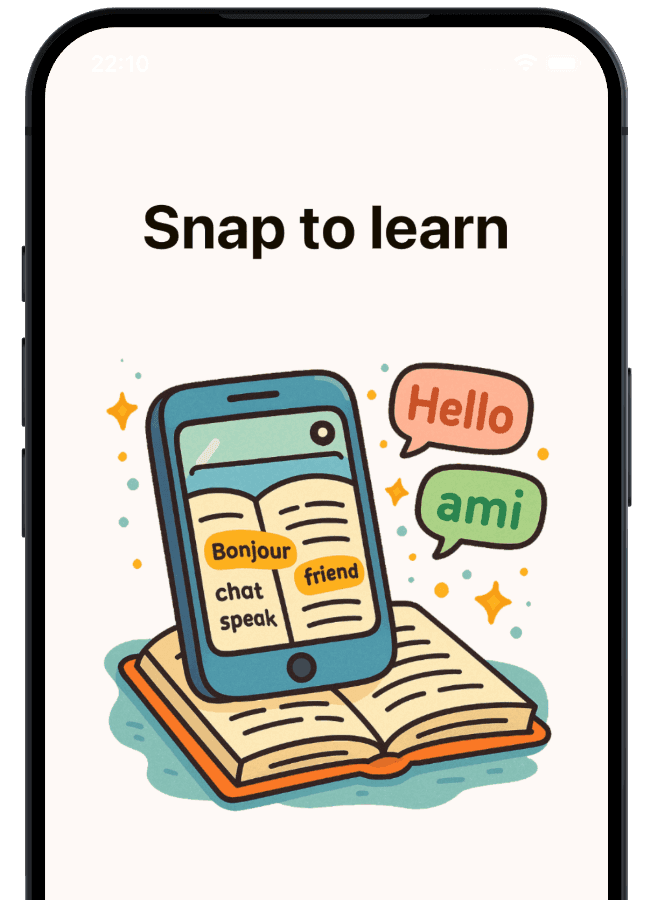
Turn textbook pages into vocabulary practice that sticks
Snap to Learn is a vocabulary app for school students. Photograph a textbook page, and it turns the words into practice: write each one from memory, drill the verbs, take a dictation, and walk into the test with confidence.
Free to start · No ads · No account needed


How it works
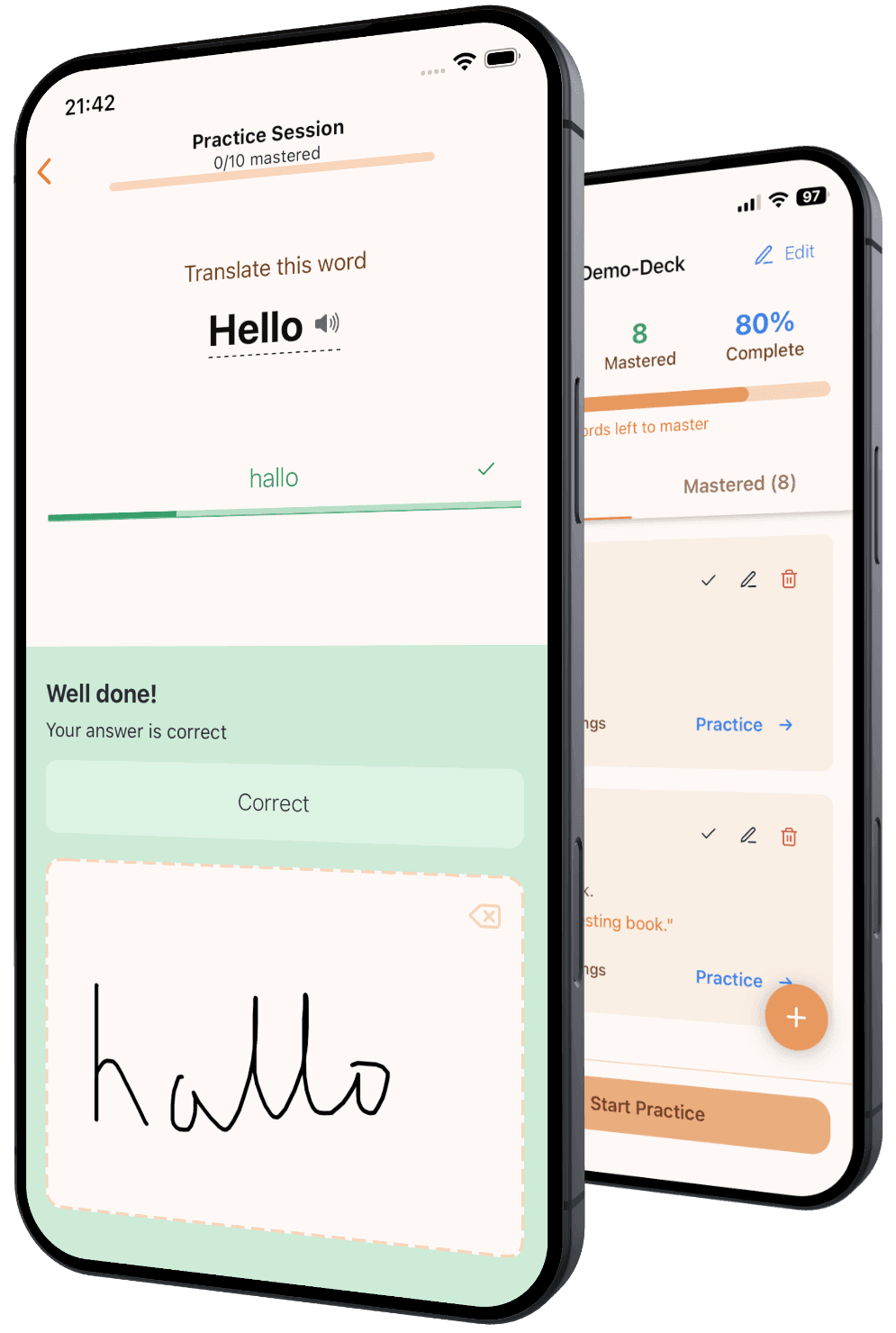
Most vocabulary apps stop at recognition: you see a word and pick the right card. A school test asks for more. You have to write the word from memory and spell it correctly. Snap to Learn practices exactly that.
1. Snap the page
Take a photo of the textbook page, worksheet, or handwritten list from school. The words are ready to practice in seconds.
2. Write it from memory
Writing trains recall and spelling harder than tapping through flashcards. A word is mastered after 7 correct answers in a row.
3. Test before the test
Test mode checks the mastered words the way the teacher will, so there are no surprises in class.
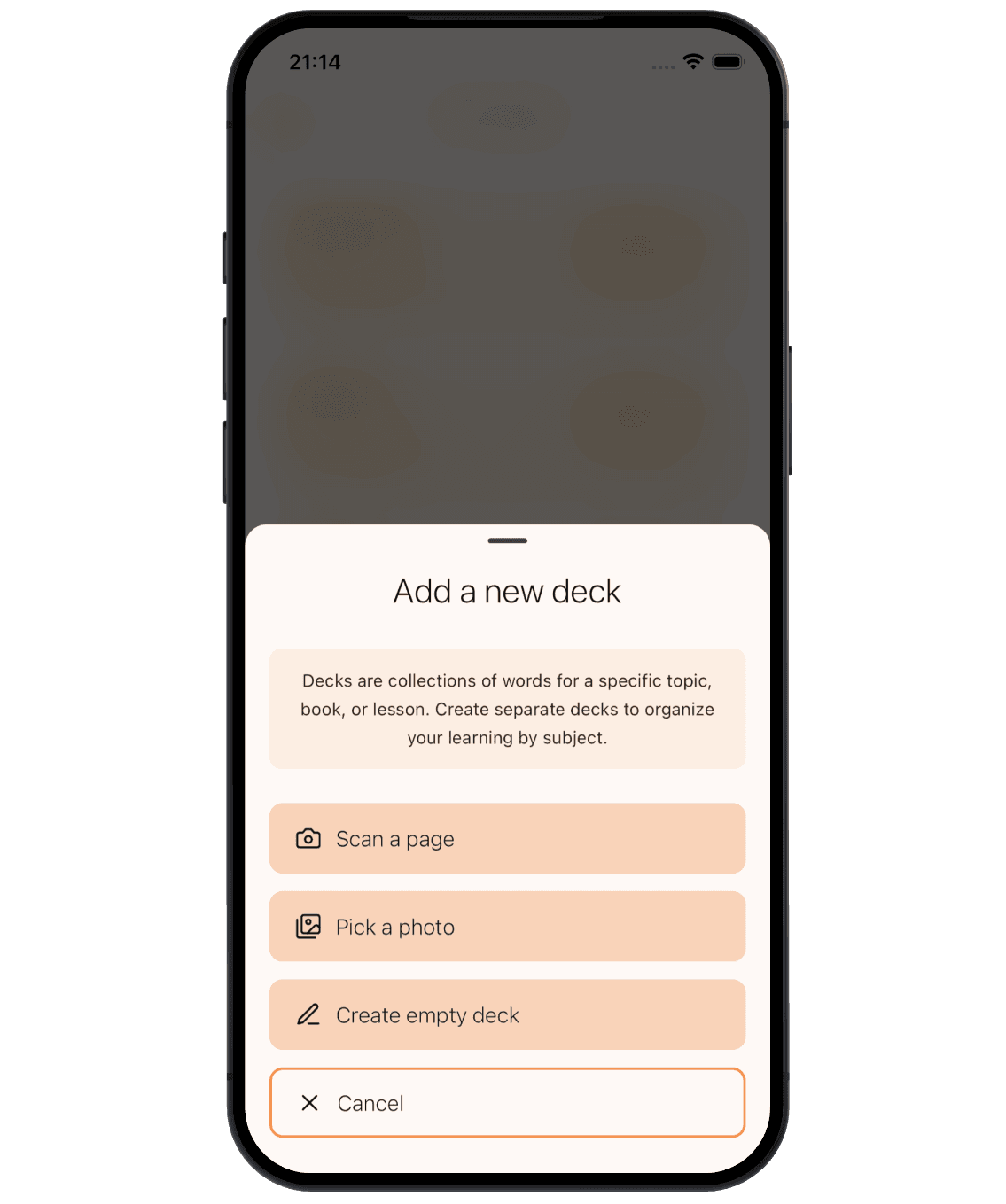
One photo, and the deck is ready
Take a photo of a textbook page, a worksheet, or a handwritten vocab list. Snap to Learn finds the word pairs, adds a short definition and an example sentence, and builds the deck for you. No typing, no flashcard setup.
Prefer to type the words in? That is always free. Got a deck from a classmate or teacher? Import it with a link or deck code.
Practice in a way that holds up in tests
Practice comes in short batches of 5 words. A word counts as mastered only after you write it correctly 7 times in a row. One mistake and the count starts again, because familiar is not the same as learned.
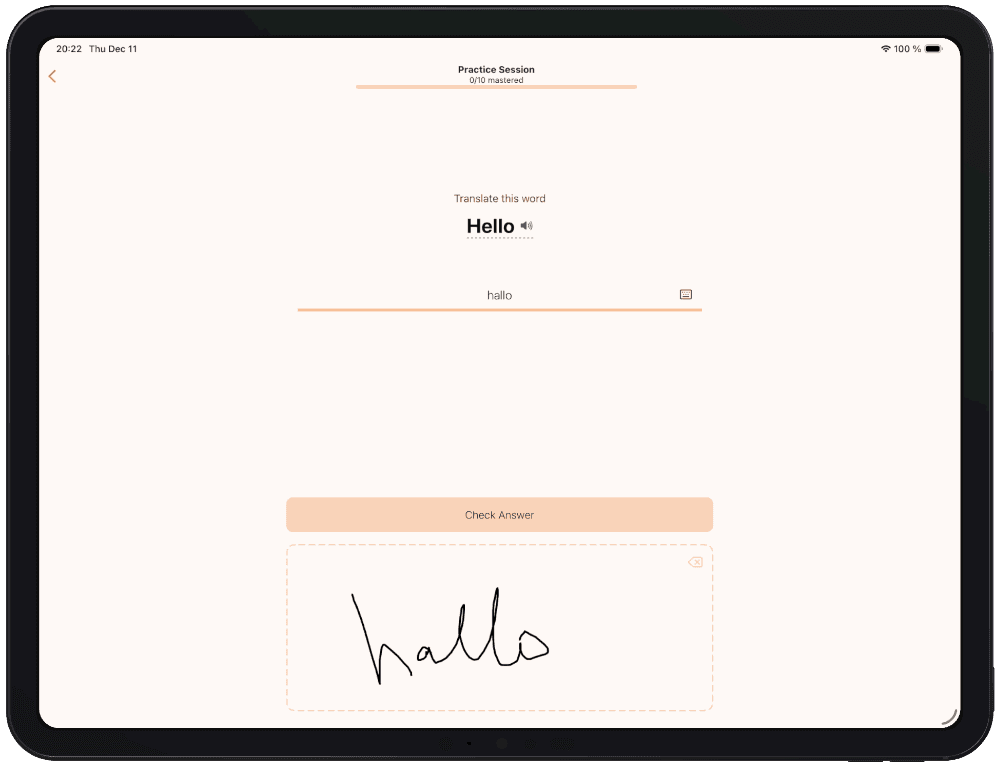
Write with a pencil or stylus
Write with a finger, Apple Pencil, or any stylus. The app reads your handwriting as you write, and spelling practice feels like the real test.
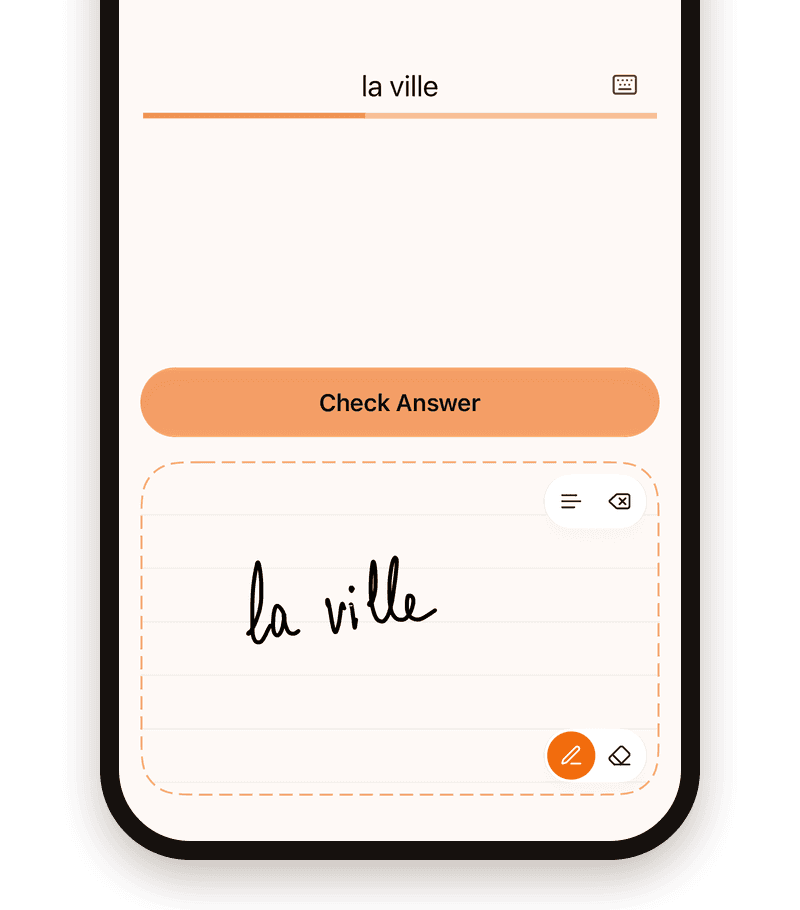
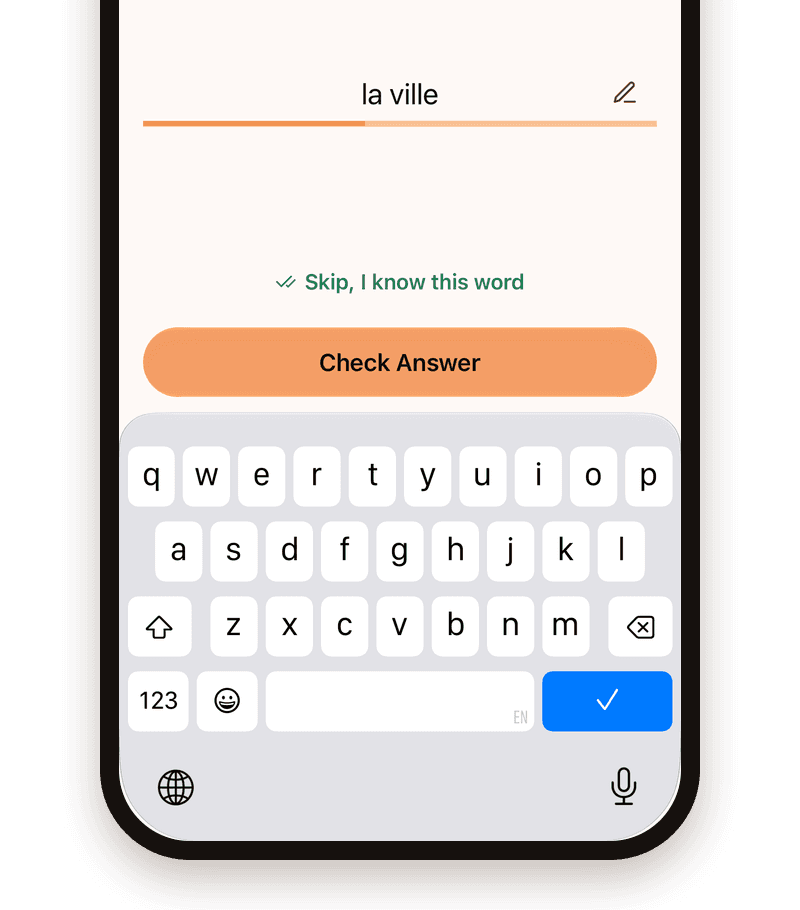
Or switch to the keyboard
Prefer typing for speed or accessibility? You can switch at any time without breaking your practice flow.
Use the words in a real story
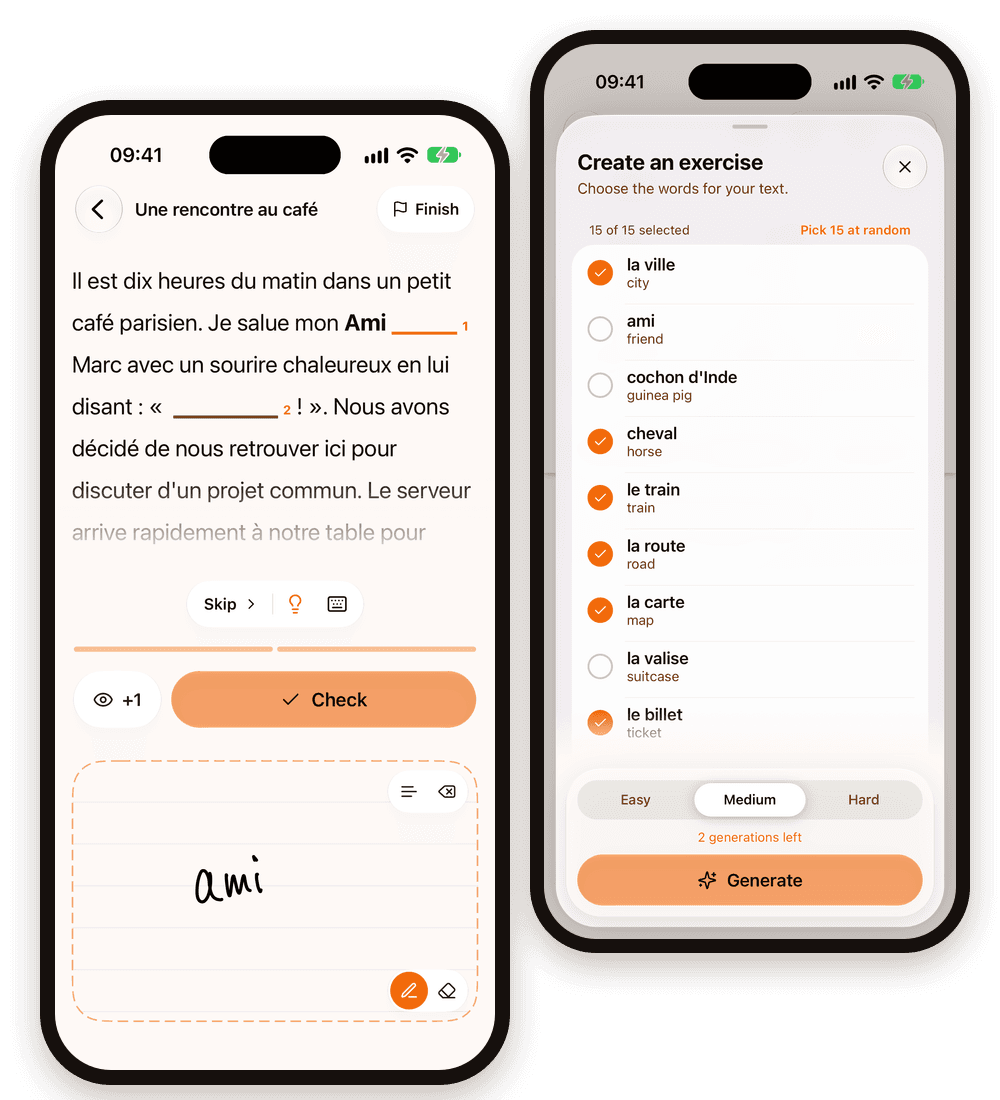
Knowing a word on its own is step one. Using it in a sentence is what the test asks for. Pick words from your deck, and Snap to Learn writes a short, original story around them. Then fill in the blanks, by hand or on the keyboard.
Choose easy, medium, or hard. Stuck? Peek at a hint or reveal one letter at a time. Your first 3 exercises are free, and playing an exercise again is always free.
Dictation, without anyone reading aloud
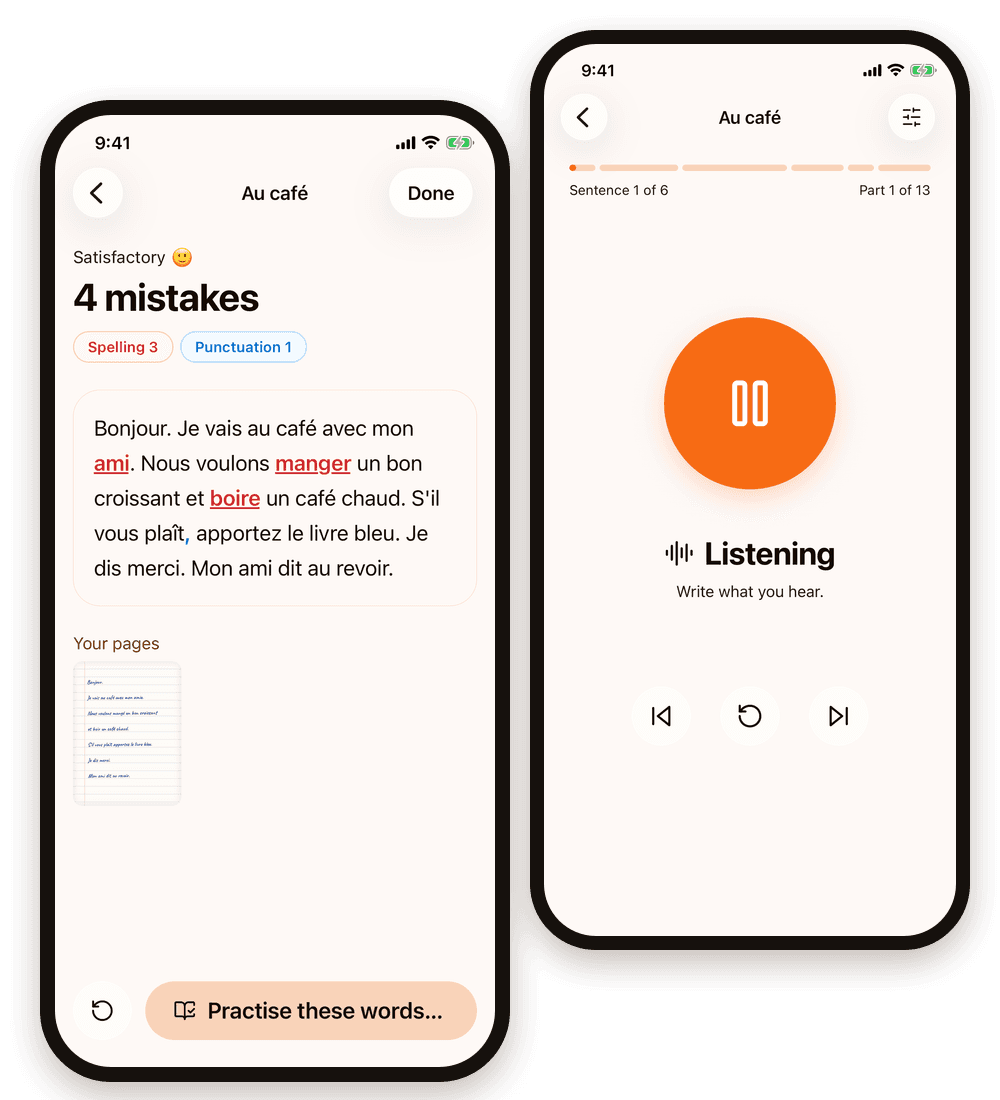
The app reads a short text made from your child’s own words, like a teacher: each sentence once, then in short parts, twice each, with time to write. Writing time and voice speed adjust to the writer.
Write on paper, snap the page, and every missing word, spelling slip and wrong comma is marked. The words that went wrong go back into practice with one tap.
In English, German, French, Spanish and Bulgarian. On a tablet, your child can also write right on the screen.
Every verb, every form
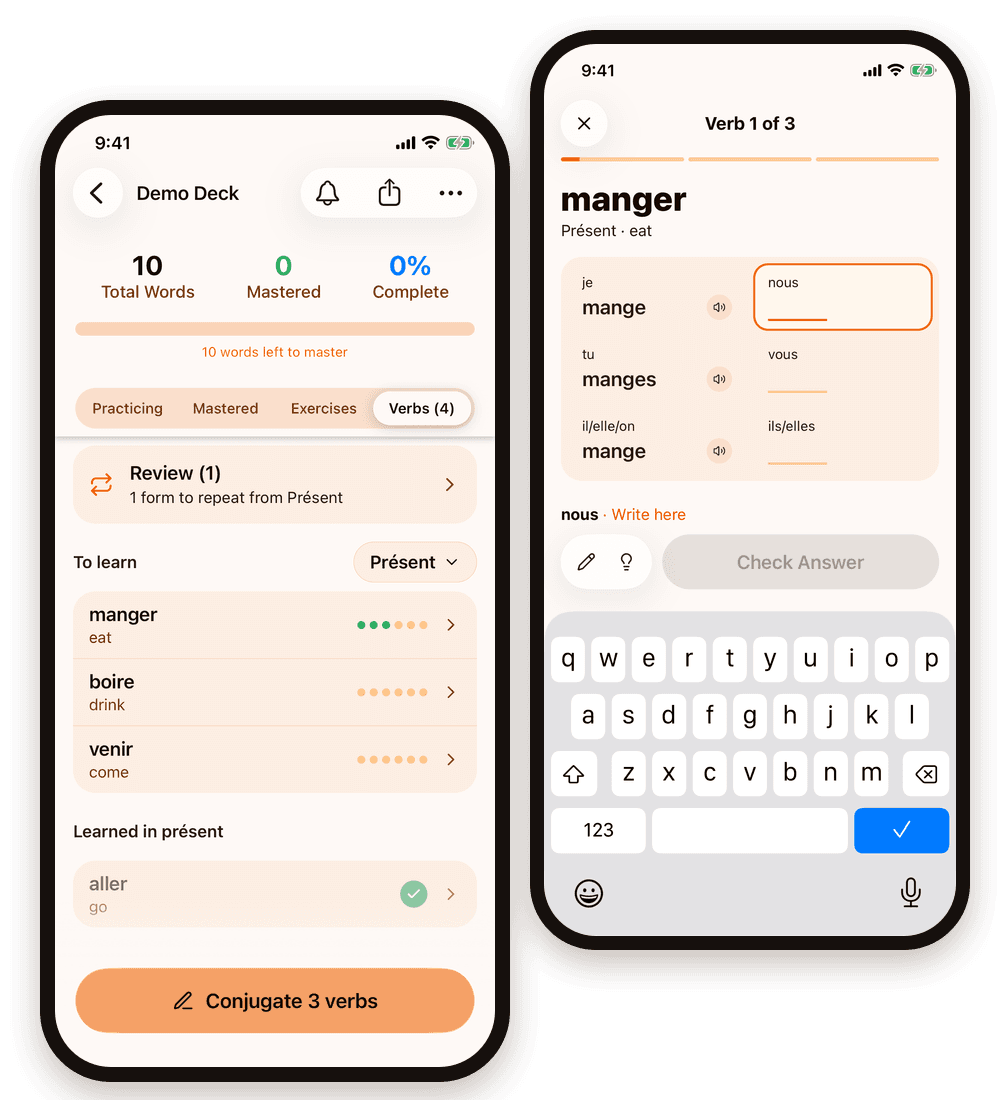
Learned a new tense in class? The Verbs tab gives every verb in the deck its full conjugation table. Practice it tense by tense, by hand or on the keyboard, until every form sits. Forms that are still shaky come back in a short review.
Then use them in context: the Tenses exercise writes sentences or a short story with your verbs, and you fill in each one in the right tense.
Conjugation tables for French, Spanish, German, Italian, Bulgarian and Latin. Tense exercises in those languages and in English.
Learning English? Master the irregular verbs
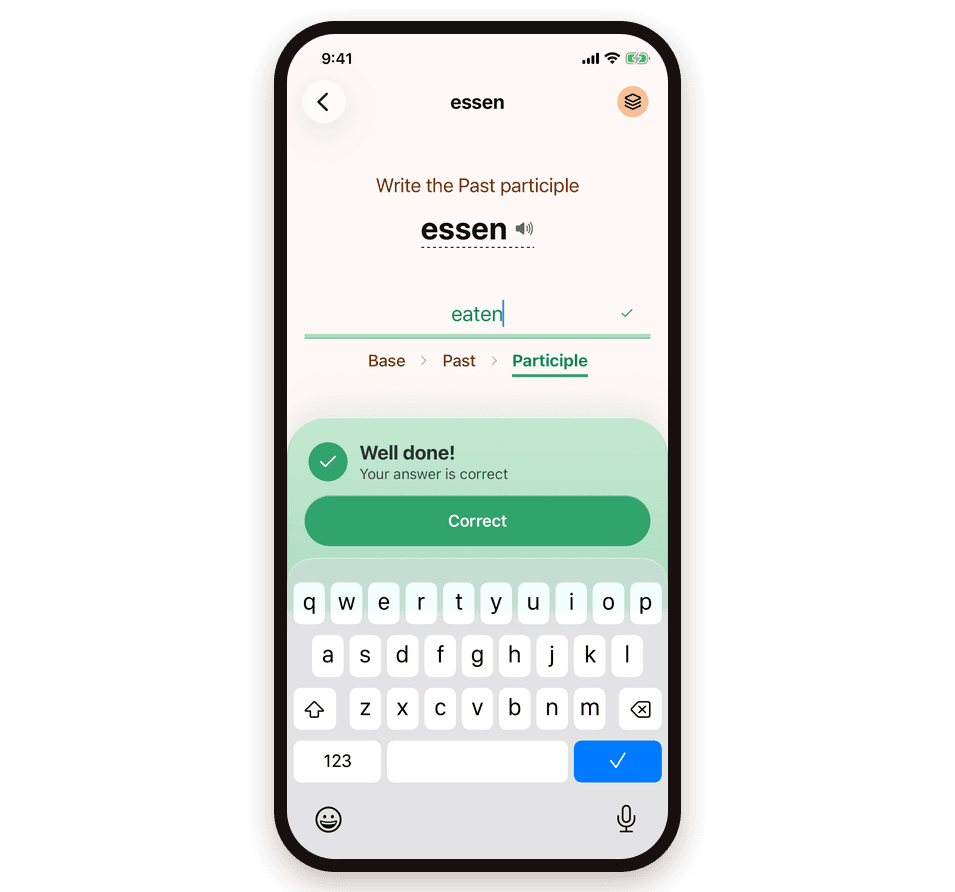
go, went, gone. Irregular verbs follow no rule, and there are hundreds of them. Turn on verb forms, and practice asks for all three forms instead of just the translation.
The Tenses exercise then puts them to work. Pick the tenses that trip you up, such as present perfect or past progressive, and write the verbs into real sentences, with a score for each tense.
Verb forms are free on the Demo Deck and on 3 verbs of your own; Plus unlocks all of them.
Know you are ready before test day
Once words are mastered, Test mode checks them like the real test: one answer per word, no second tries. Afterwards you see what you wrote for every word, and any word you missed goes back into practice.
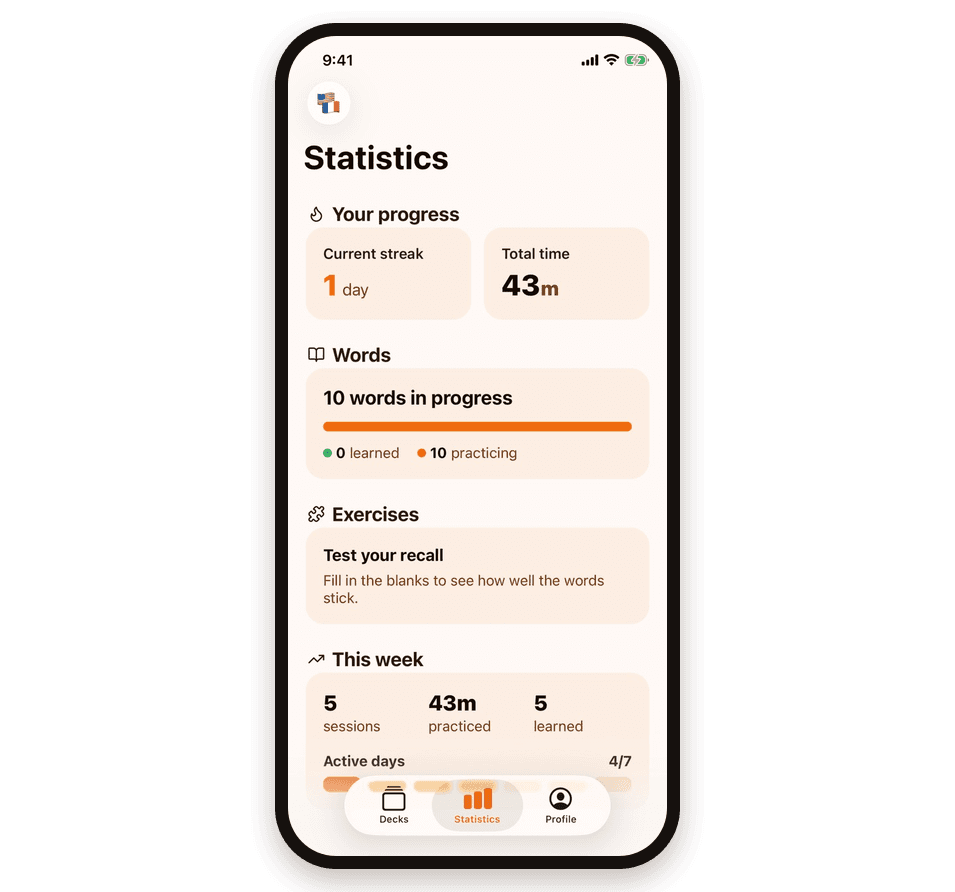
Streaks, practice time, and mastered words show progress at a glance.
Tap any word to hear how it is pronounced.
A reminder at the right time
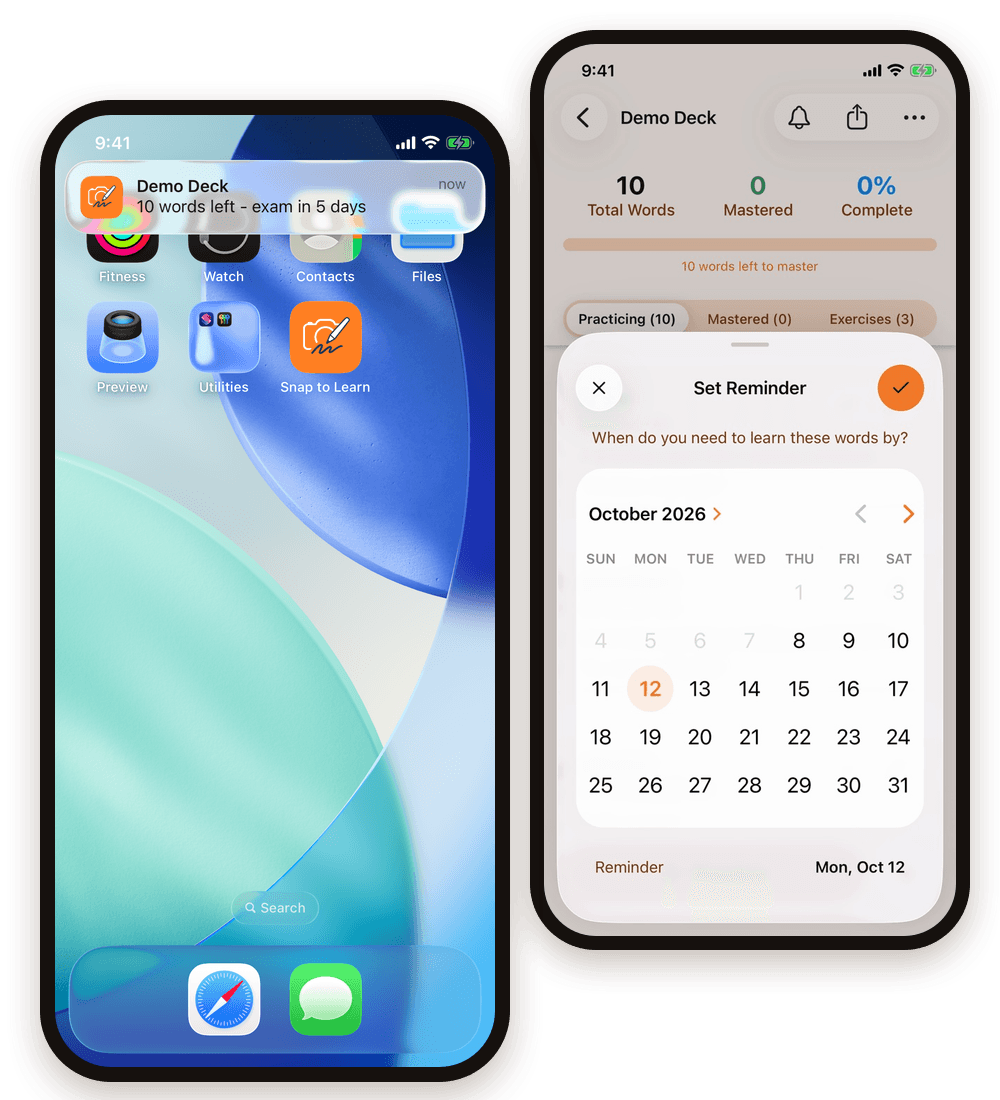
Set the date of the vocabulary test on a deck and choose a time of day. Every day at that time, a notification shows how many words are left and how many days remain. A few minutes a day is enough, and the words are ready well before the test.
Once every word is mastered, short review reminders after 1, 3, 7, 14, and 30 days keep the words in long-term memory.
50+ languages, in any direction
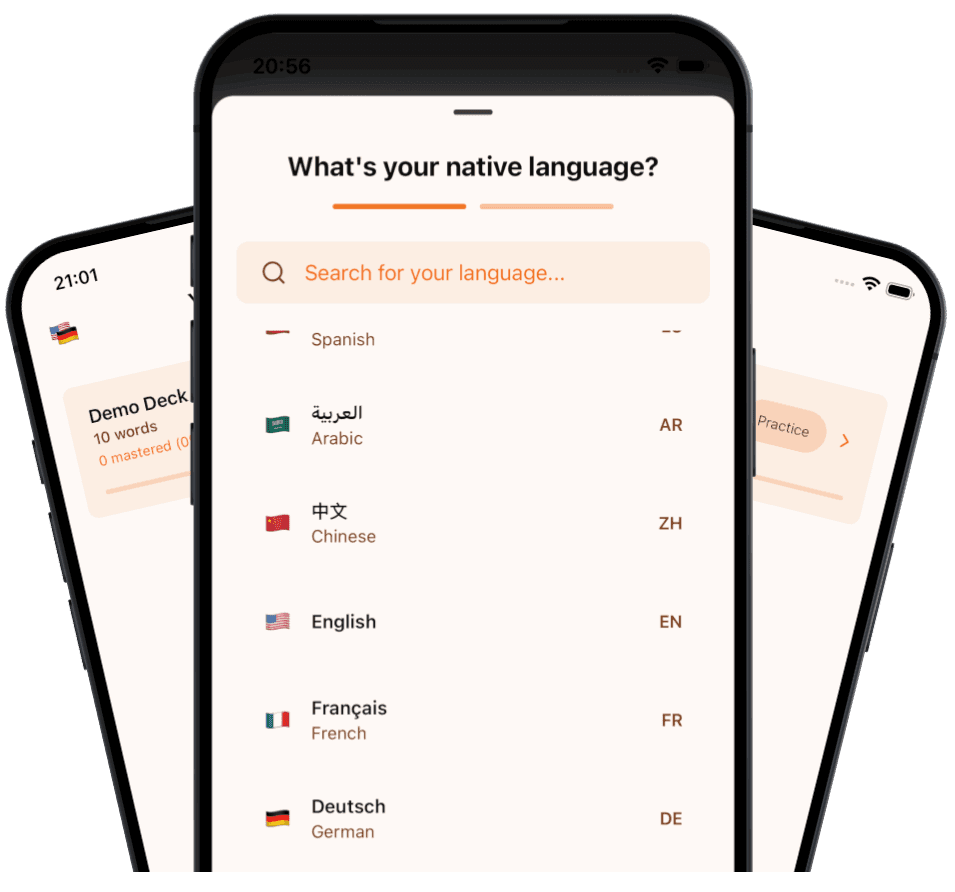
German to English, English to French, Spanish to Japanese: pick the language you speak and the one you are learning, and switch between pairs at any time. It works for school vocabulary, extra practice at home, travel prep, and heritage languages.
Learning Latin? Scan the textbook: words keep their principal parts, answers count with or without macrons, and nouns get their declension tables.
Built by a parent, for learners
“My daughter failed a vocabulary test. Not because she didn’t study: she wrote each word a couple of times, glanced at it, and called it done. Flashcard apps took too long to set up, and none of them made her write.
So I built Snap to Learn. She took one photo of her vocab list and practiced by writing each translation. Two weeks later, she aced her next test. A month in, she opened the app on her own, no nagging needed.”
— Daniel, who built Snap to Learn
No ads, no data selling
Nothing distracts from practice, and your family’s data is never sold or used for advertising.
No account needed
Install it and start. No email address, no sign-up, no credit card.
Practice they can do alone
Short batches of 5 words, with clear feedback after every answer. No need to sit next to them and quiz.
An honest result
Set the test date, and the app reminds them every day. Then ask to see the test result: it shows what they really know.
What learners and parents say
Rated 5 stars by users on the App Store and Google Play
Start free. Pay only for more.
Practicing and testing are always free. You pay only for more scans, more new exercises, and the extras in Plus.
Free
Everything you need to start, for as long as you like.
Unlimited practice and tests
Type in your own words
3 page scans and 3 exercises
A demo deck to try every feature
20 pronunciations, and 3 verbs each for verb forms and conjugation
Scan packs
A one-time purchase, for when you only need more scans.
20, 50, or 100 page scans
One page usually holds 30–70 words
No subscription
Plus
A monthly or yearly subscription for learners who scan often.
80 page scans every month
50 new exercises every month (a dictation counts as 2)
Every verb on the Verbs tab
Unlimited pronunciation and verb forms
Frequently Asked Questions
Is it free to use?
Yes. Practicing, tests, and typing in your own words are free with no limit. You also get 3 page scans and 3 exercises (fill-in-the-blanks, tenses or dictation) for free. After that, you can buy a one-time scan pack or subscribe to Plus. Practicing and tests are never locked.
What age is it for?
Snap to Learn is made for school students from about 9 years old, and it works just as well for adults in language courses or getting ready for a trip.
Does it work with my textbook?
Yes. Take a photo of any printed or handwritten vocabulary list: a textbook page, a worksheet, or notes from class. The app finds the word pairs for you. You can also type words in by hand.
Which languages can I learn?
More than 50 languages, in any direction, for example German to English or English to Spanish. Dictations work in English, German, French, Spanish and Bulgarian. Conjugation tables come for French, Spanish, German, Italian, Bulgarian and Latin, tense exercises for those languages and English, and verb forms for English and Latin.
Can I learn Latin?
Yes. Scan your Latin textbook: words keep their principal parts, answers count with or without macrons, and the Grammar tab drills verb conjugations and noun declensions. Latin has no voice in the app, so there is no pronunciation.
Is this good for kids?
Yes. Snap to Learn is simple and distraction-free, with no ads and no account to create. We originally built it for our 11-year-old daughter to help her learn her school vocabulary.
Do I need an Apple Pencil?
No. You can write with your finger or any stylus, or type on the keyboard. Many learners like a stylus because it feels like writing on paper.
Is my data private?
Your word lists are stored locally on your device. When you scan a page, the image is securely uploaded to our servers only to extract the text and is deleted immediately after processing.
Can’t find the answer to your question?
Contact us and we’ll get back to you as soon as we can.
Ready for the next vocab test?
Start free with 3 scans, 3 exercises, a demo deck, and unlimited practice. No account, no credit card.